Edit your website with deckle

This guide shows you how to change texts and images, add pages, check your changes in the preview and publish them, and translate your website, step by step and with screenshots of the editor.
Start with the basics Make your first change

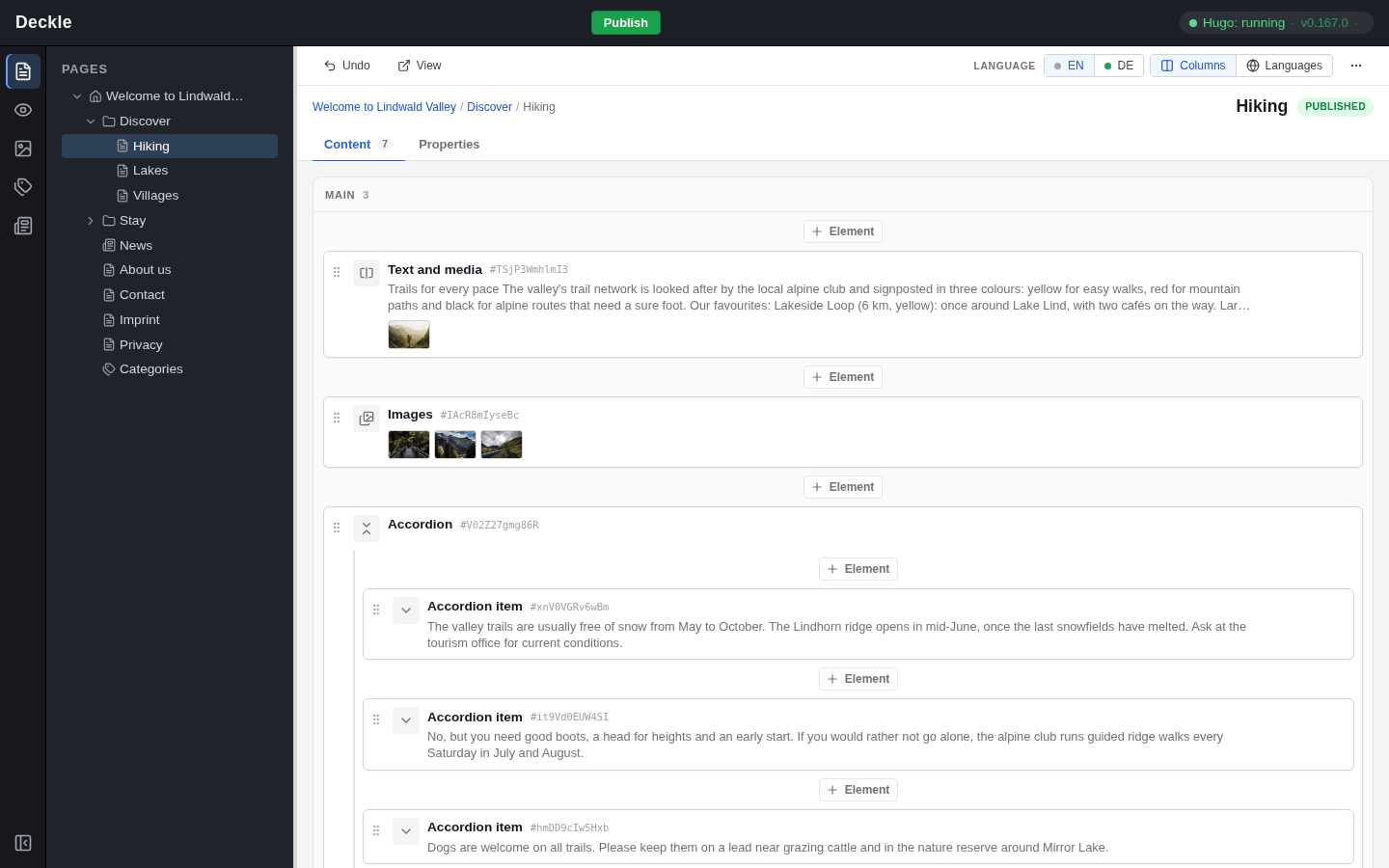
The deckle editor: the module bar and the page tree on the left, the content elements of the selected page on the right
The deckle editor with a page open: the page tree on the left, the page's content elements on the right.

Topics

  • Getting started

    What deckle is, what you need to start editing your website, and how this guide is organised.

  • Pages

    Pages and subpages, the page tree as the structure of your site, and the page types your editor offers.

  • Content elements

    Pages are built from content elements such as texts, images and cards. Learn how to add, edit, move and arrange them.

  • Images and files

    Images and PDF documents live in the media library, so you upload a file once and use it on as many pages as you like.

  • Preview

    How the View module shows your website with all saved changes, on desktop and mobile width, and how to edit straight from the preview.

  • Saving and publishing

    How saving and publishing work: every change is kept, and one Publish puts all of them on your live website.

  • News and categories

    The News and Categories modules: where you write news items and manage the categories that group your pages.

  • Translations

    How multilingual websites work in deckle: one structure in the main language, translated page by page.